

You built the site. You published the pages. Weeks passed, and Google still acts like you don’t exist. It’s a frustrating place to be, and you’re far from alone in it.
In 2026, Ahrefs found that 96.55% of all pages get zero traffic from Google, based on a study of roughly 14 billion webpages (Ahrefs, “96.55% of Content Gets No Traffic From Google”, 2023). The good news? A page that isn’t ranking almost always has one of a handful of fixable causes. This guide walks you through 12 of them in the order I check them for real clients, with the exact test for each.




Key Takeaways
- In 2026, 96.55% of pages get zero Google traffic (Ahrefs, 2023) so this is normal, and usually fixable.
- Start by confirming you’re indexed at all. No index means nothing else matters yet.
- Only 1.74% of new pages reach the top 10 within a year (Ahrefs, 2023) patience is often the real fix.
- Intent mismatch and thin content are silent, common killers.
- In 2026, you can rank and still lose the click to AI Overviews a different problem needing GEO.
Before anything else, confirm Google has your pages. Type site:yourdomain.com into Google. If zero results appear, you have an indexing problem, not a ranking problem and no amount of keyword work will help until it’s solved. If some pages show but not the one you care about, the issue is page-specific.
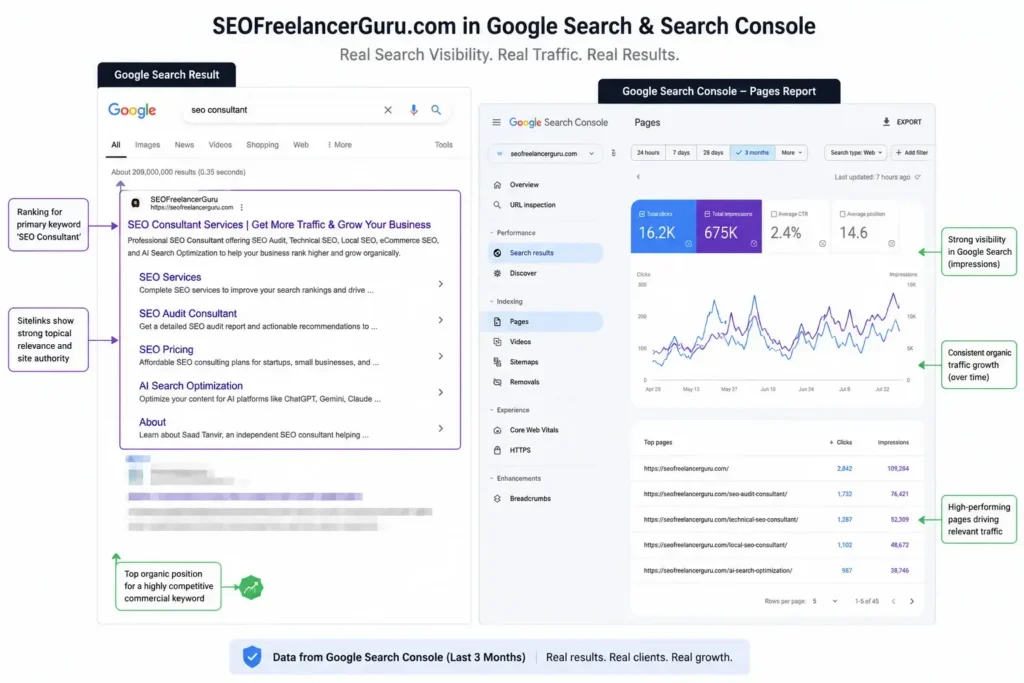
The fastest confirmation lives in Google Search Console. Open the Pages report (formerly Coverage). It tells you exactly which URLs are indexed and, for those that aren’t, why. This one report answers more “why isn’t my site ranking” questions than any tool on the market.
Technical blocks are the most common reason a page never appears and the easiest to miss. Google’s own documentation notes that an accidental noindex tag tells Googlebot it may crawl a page but must keep it out of results (Google Search Console Help, 2026). One stray line can hide an entire site.
#1 — Accidental noindex or robots.txt block. Check your page source for <meta name="robots" content="noindex"> and your robots.txt for Disallow rules. On WordPress, confirm Settings → Reading doesn’t have “Discourage search engines” ticked. It’s the single most common self-inflicted wound I find.
#2 — Not indexed yet (you’re just early). New sites take time. Publishing on an established domain can rank in days to weeks, but a brand-new site typically needs 6–12+ months for competitive terms (Ahrefs, 2023). If your domain is a few weeks old, the fix might simply be time plus a submitted sitemap.
#3 — Canonical or duplicate signals. A canonical tag pointing to a different URL tells Google “index that one, not this.” Duplicate content across HTTP/HTTPS or www/non-www versions splits your signals. Check that each page’s canonical points to itself unless you intend otherwise.
#4 — Core Web Vitals and mobile usability. Load speed and visual stability are confirmed ranking signals (Google Search Central, 2026). A slow, layout-shifting page on mobile struggles to compete. Test it in PageSpeed Insights and fix the flagged issues.
The distribution you’re fighting: In 2026, Ahrefs’ index showed 96.55% of pages get zero traffic and only 3.45% get any at all (Ahrefs, 2023). Technical hygiene is what moves you from the first group toward the second.
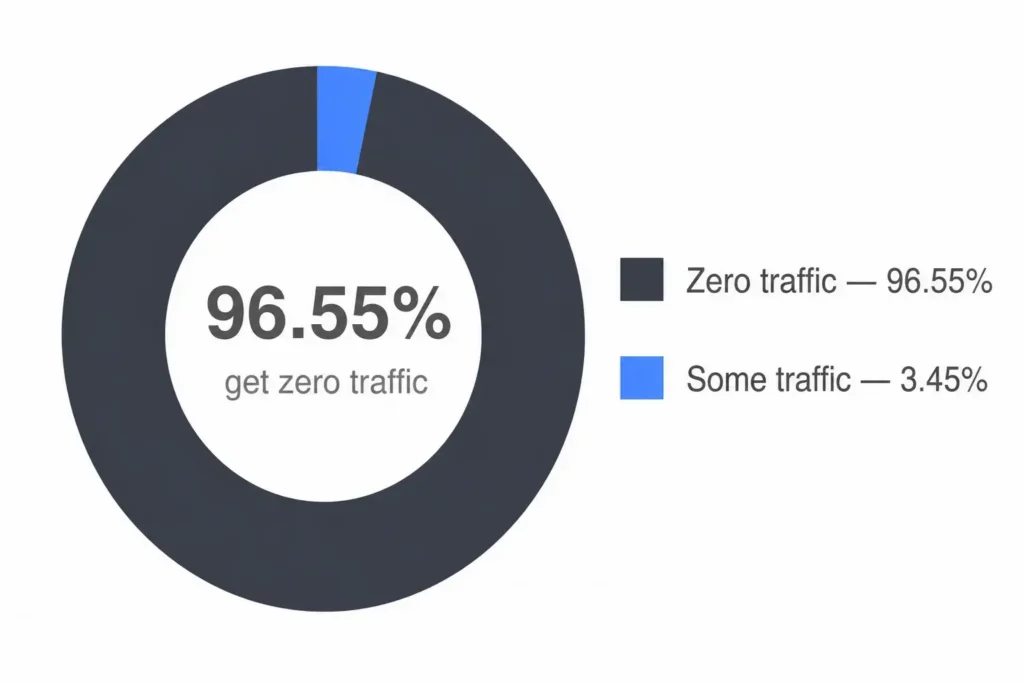
Source: Ahrefs, “96.55% of Content Gets No Traffic From Google,” 2023
Even a perfectly crawlable page fails if the content doesn’t match what searchers want. Yoast identifies search-intent mismatch as a leading cause of “optimized but not ranking” pages (Yoast, 2026). Google ranks the page that best answers the query not the page that mentions the keyword most.
#5 — Thin or duplicate content. A few sentences, or text copied from elsewhere, gives Google little reason to rank you. Ask honestly: does this page say something the top results don’t?
#6 — Search-intent mismatch. If people searching “how to fix a leaky tap” get a page selling plumbing services, Google favors the tutorial instead. Match the format of the pages already ranking guide, list, product, or comparison.
#7 — Keyword cannibalization. When two of your pages target the same query, they compete with each other and split their authority. Google may rank the weaker one, or neither. Consolidate or differentiate them.
#8 — Weak experience signals. The December 2025 Core Update rewards first-hand experience. Pages with real screenshots, original data, and a named author outrank generic, unsourced text. If your page reads like it could’ve been written by anyone about anything, that’s a problem worth fixing.
Sometimes the page is fine and the problem is leverage or the search result itself has changed shape. This is where new sites hit a wall. In 2026, Ahrefs reported that just 1.74% of newly published pages reach the top 10 within a year, and 72.9% of pages already in the top 10 are more than three years old (Ahrefs, 2023). You’re often competing against age and authority you can’t shortcut.
#9 — No backlinks. Backlinks are votes of confidence. A great page nobody links to still struggles. A few relevant, quality links often unstick a stalled page.
#10 — The keyword is too competitive for you. A new site targeting “best crm software” is fighting billion-dollar brands. Start with long-tail, lower-competition terms you can actually win, then climb.
#11 — Your site is simply too new. Trust builds over time. If you’re weeks in, keep publishing and earning links; the graph usually turns up between months 2 and 6 for winnable terms.
#12 — AI Overviews are eating the click. Here’s the 2026 twist most guides miss: you might rank and still get no traffic. AI Overviews cut organic click-through by 30–58% on informational queries (Stackmatix, 2026). If your rankings held but clicks fell off a cliff, this not a penalty may be your real issue.
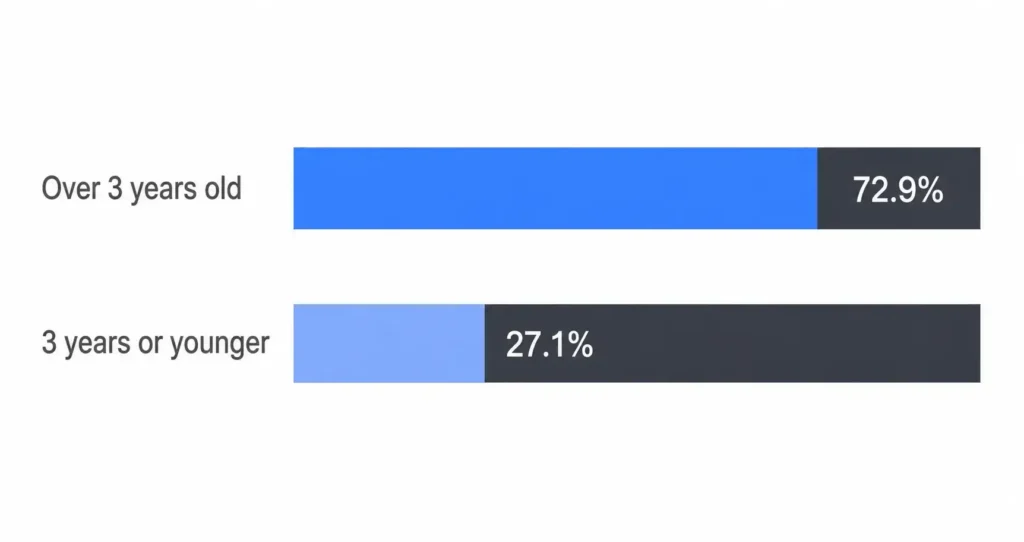
Source: Ahrefs, “How Long Does It Take to Rank in Google?”, 2023
For a deeper look at that last point, see GEO pillar page Generative-Engine Optimization
Most ranking drops are algorithm updates, not penalties but they need different responses. A manual penalty shows up in Google Search Console under Security & Manual Actions → Manual Actions. If that section is empty, you weren’t manually penalized. A sudden, broad drop that lines up with a known core update date points to an algorithm shift instead.
If it’s a manual action, fix the flagged issue (spammy links, thin content) and submit a reconsideration request. If it’s an update, there’s no button to press: audit against the update’s focus (usually content quality and experience), improve, and wait for the next refresh. Panic-deleting pages tends to make things worse.
Plenty of these fixes are do-it-yourself: checking noindex, submitting a sitemap, tightening intent. If the cause is technical hygiene or patience, you can likely handle it this weekend. Where people lose months is misdiagnosis treating an authority problem as a content problem, or a new-site timeline as a penalty.
That’s the honest line: if you’ve worked through all 12 and still can’t tell which applies, a second set of eyes pays for itself. Before you hire anyone, know Questions to Aask Before Hiring Seo Consultant
Indexing takes days to a few weeks, but ranking is slower. In 2026, only 1.74% of new pages reached the top 10 within a year (Ahrefs, 2023). Established domains rank faster; new sites often need 6–12 months for competitive terms.
A sudden drop usually means one of three things: a technical change (accidental noindex, broken redirect), a Google algorithm update, or a manual penalty. Check Search Console’s Manual Actions first if it’s empty, an update or technical change is the more likely cause.
Possibly. AI Overviews reduce organic clicks 30–58% on informational queries (Stackmatix, 2026). If your rankings are steady but clicks dropped, the answer is being served on the results page. That’s a GEO problem, not a ranking one.
Indexing only means Google knows your page exists. Ranking depends on relevance, content depth, authority, and competition. An indexed page that doesn’t rank usually has weak content, an intent mismatch, too few backlinks, or is chasing a keyword above its current authority.
Open Google Search Console → Security & Manual Actions → Manual Actions. A penalty is listed there with the reason. If it’s empty, you have no manual penalty your drop is almost certainly an algorithm update or a technical issue, both of which are diagnosed differently.
A website that won’t rank feels like a mystery, but it rarely is. Work the list in order:
site: search and the GSC Pages report.noindex, canonicals, Core Web Vitals.Nine times out of ten, the answer is already on this page. If you’d rather have it diagnosed and fixed properly, let’s talk → and if AI search is where you’re losing ground, start with GEO playbook → .